
This guide provides a straightforward method for efficiently managing documents within ActionStep by utilizing the right-click function.
1. Open your matter in ActionStep

2. Click on the "Documents" icon

3. Double click on the document folder

4. Right click on the document you wish to move

5. Select "Move"

6. Search and select the file you wish to move the document to

7. Select the folder you wish to move the document to

8. Select "Move"

9. If you would like to keep the document on the same matter but move it to another file right click on the document

10. Select "Move"

11. Select the folder you wish to move the document to
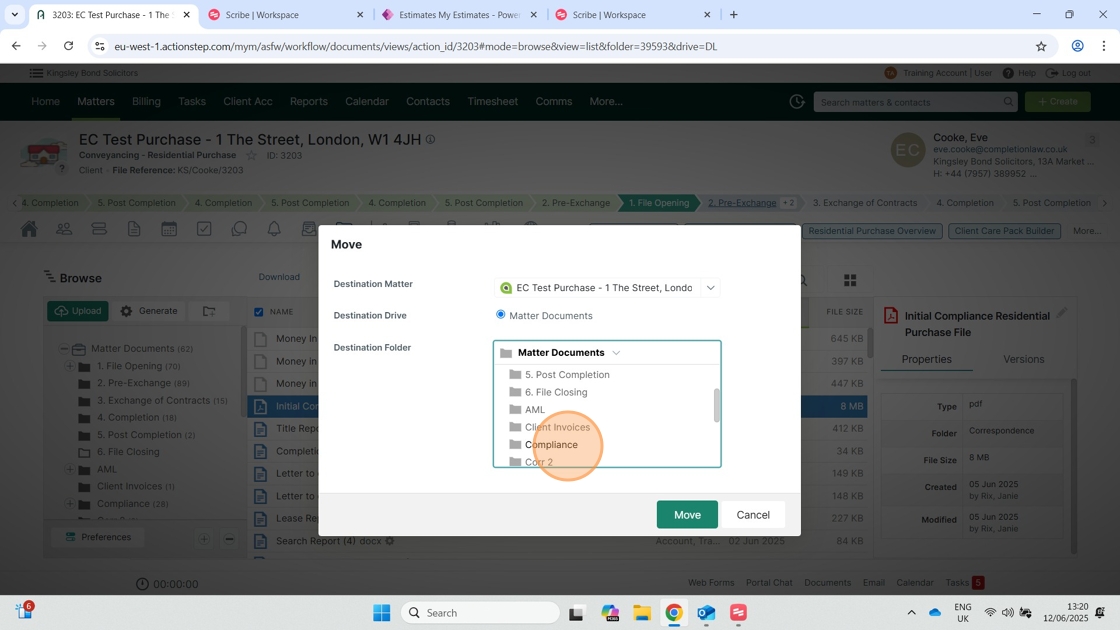
12. Click "Move"

Comments
0 comments
Please sign in to leave a comment.